
How It Works

How Advisorbriefs Works

Three steps that take you from the start of a client meeting to a structured note in your CRM — without any manual documentation afterward.

The three-step workflow

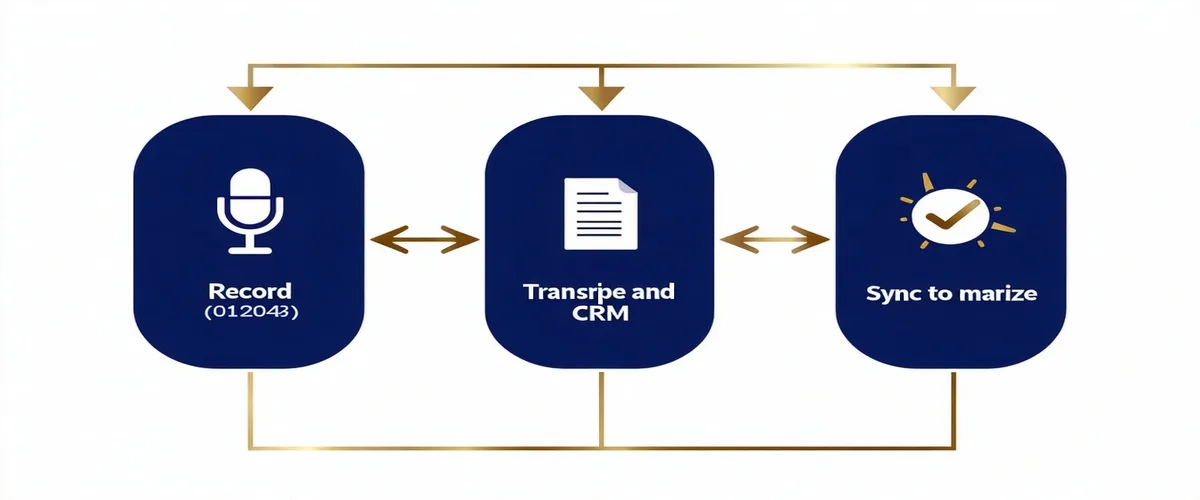
Three-step workflow diagram: Record, Transcribe and Summarize, Sync to CRM
1
Step One

Record

Advisorbriefs captures the meeting audio so you don't have to think about documentation while you're in the room.

Zoom & Teams Bot

A silent participant joins your scheduled video call. No client-visible app, no meeting disruption.

Browser Extension

One-click capture from your desktop browser for web-based meetings or in-browser calls.

In-Room Audio

For face-to-face meetings, capture via mobile app or desktop microphone. Works offline, syncs when reconnected.

2
Step Two

Transcribe & Summarize

Audio processing happens immediately after the meeting ends. You receive a structured note within minutes, organized into sections your compliance workflow expects.

Sample Note Output

Goals Discussed: Review Q1 portfolio performance. Assess RMD strategy for 2025. Update beneficiary designations.
Action Items: Advisor to prepare Roth conversion analysis by 04/15. Client to provide updated estate documents.
Material Disclosures: Fee structure discussed. No new products recommended this session.
Follow-up Required: Schedule review call in 90 days. Client requested information on municipal bond allocation.

Compliance flag detection identifies when material disclosures, product recommendations, or suitability discussions occur — and marks them for your review before the note is finalized.

3
Step Three

Sync to CRM

Review the note, make any edits, and push to your CRM with one click. Field mapping is configured during onboarding — no manual copy-paste, no reformatting.

Redtail CRM

Notes push into Redtail's Activity log with proper contact association and date/time metadata.

Wealthbox

Pushes to Wealthbox Workflow notes with action items automatically creating Tasks in your workflow.

Orion

Read-only account context from Orion feeds into the meeting brief before the call. Note sync coming Q3 2026.

Common Questions

Workflow questions

For Zoom and Teams, the bot joins as a named participant (you choose the display name — most advisors use "Meeting Notes" or their practice name). It does not speak, react, or interact. For in-room audio or browser extension capture, there is no bot participant at all.
Typically 3–6 minutes after the meeting ends for a 30–45 minute call. Longer calls may take up to 10 minutes. You receive an in-app notification and an optional email alert when the note is ready for review.
Yes. The note goes into a Review state before any CRM sync. You can edit any section, add context, remove anything that was transcribed incorrectly, and confirm compliance flags. Sync only happens when you click the Sync button. The edit history is preserved in the audit trail regardless of edits.
Audio is processed in an isolated compute environment and deleted immediately after transcription is complete. We do not retain audio recordings. The structured text note and transcript are retained per your configured retention policy. See our Security page for full data handling details.
Ready to get started?

Join our pilot cohort.

We are working with a select group of independent RIAs. If you are managing $50M–$500M AUM, we would like to work with you.

Join the Pilot